Steam inventory value calculator
See what any public Steam inventory is worth: CS2, Dota 2, Rust, TF2 and more. No login needed.


Free, no login.
Paste a Steam profile link, custom URL or Steam ID and see the total value. No account, no password, nothing to install.
Market prices.
Every item is priced from its Steam Community Market sales, updated daily, with its full price history one click away.
Every game.
CS2, Dota 2, Rust, TF2 and more in one place. Switch games, filter your items and sort them by value.
Steam Inventory & Market API
Access accurate Steam pricing data, skin prices, inventory values, and float data through our Steam developer API. Get reliable pricing information for CS2, Dota 2, Rust, and TF2 items with our RESTful API endpoints.
Item Pricing API
Access accurate item prices and historical price data for CS2, Dota 2, Rust, and TF2. Our pricing API provides reliable market values for skins, cases, stickers, and in-game items.
Steam Inventory API
Fetch complete Steam inventory data for CS2, Dota 2, Rust, and TF2. Get item details, float values, sticker information, and calculated inventory worth instantly.
Up-to-Date Market Data
Get accurate and current pricing information from Steam Community Market. Perfect for trading platforms, price tracking tools, and market analysis applications.
Developer-Friendly
RESTful API with JSON responses and comprehensive documentation. Easy integration with API key authentication.
Choose the plan that fits your needs — from lite to enterprise
How to Check Your Steam Inventory Value
Steam Inventory Value Checker
Our inventory page provides a quick and convenient overview of your Steam inventory without requiring you to log in. Use the filters to narrow down your search and easily track the value of your items across multiple games.
Popular for checking CS2 inventory value - see the worth of your Counter-Strike 2 skins, knives, and gloves with accurate pricing.
Also supports Dota 2, Rust, TF2, and more Steam games. View detailed item information including float values, sticker placements, and complete price history.
For a more detailed tutorial, click here.

Archive
Our archive page allows users to check every item from a variety of games that we offer. For each item, you can view its value, price history, 24-hour sales, and sell/buy orders. Use the search and filter options to easily find and manage the items you're interested in. For a more detailed tutorial, click here.

Portfolio
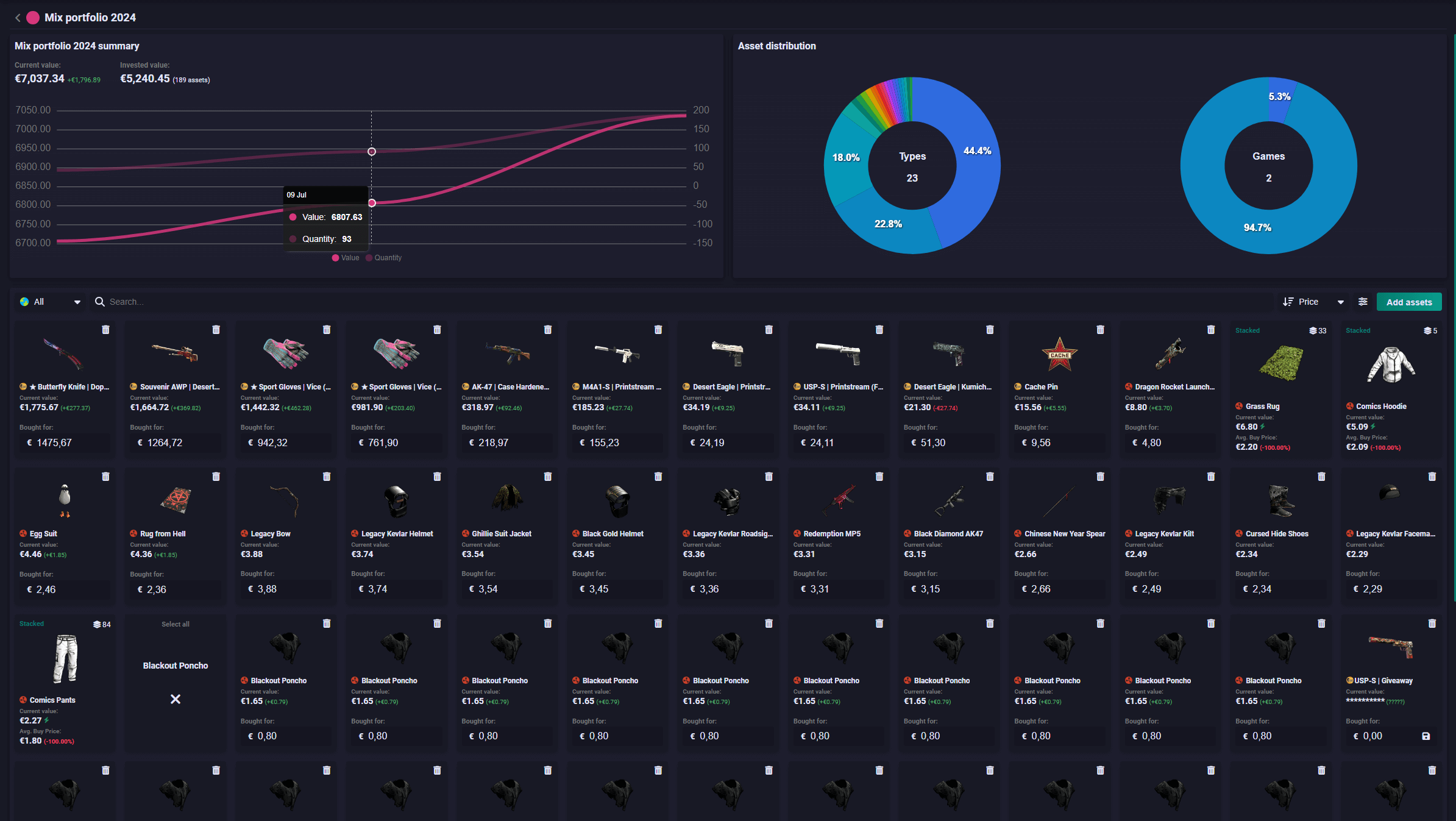
Our portfolio page allows users to add items and track them in more detail. You can check how much you have invested, view the distribution of your items across different games and types, and monitor your portfolio's performance. For a more detailed tutorial, click here.
Steam Inventory Value FAQ
How do I check my Steam inventory value?
Paste your Steam profile link, custom URL or SteamID64 into the search box at the top of this page and press fetch. Montuga loads the inventory, prices every item and adds up the total. Use the game picker to switch between CS2, Dota 2, Rust, TF2 and the other supported games.
Is the Steam inventory value calculator free?
Yes. Checking an inventory is free and needs no account. Montuga only reads public inventory data and never asks for your Steam password.
Why is my Steam inventory not showing?
Your Steam profile and inventory have to be public. On Steam, go to your profile, then Edit Profile, then Privacy Settings, and set both "My profile" and "Inventory" to Public. The change can take up to an hour. If your inventory is public and still empty, Steam may be briefly unavailable, so try again a little later.
How is my inventory value calculated?
Each item is priced from its Steam Community Market sales: recent sale prices, trading volume and the price trend. Items that rarely sell are priced from up to a year of sales history, and items whose price swings a lot are marked as unstable. Your inventory value is the sum of those prices for every marketable item in the inventory.
How often are prices updated?
Every day. The daily price update starts at 3:00 AM UTC, and items that sell often are updated more frequently than items that rarely sell.
Can I check someone else's Steam inventory?
Yes, any public inventory works. Paste their profile link or Steam ID, and use the copy button to share the result as a link.
Can I still check my CS:GO inventory value?
Yes. Counter-Strike 2 replaced CS:GO in 2023 and your skins carried over, so pick Counter-Strike 2 in the game picker to see your CS:GO inventory at today's prices.
Does Montuga show float values and stickers?
Yes. Open a CS2 item to see its float value, its sticker placements and its full price history.
Can I track my inventory value over time?
Yes. Sign in with Steam and add your items to your portfolio to see what you paid, how your items are spread across games and how their value changes over time.
More questions? Read the full FAQ.